Basic Docker Container

I am a learner who likes to get behind the new technologies of the world and integrate them for a more efficient workflow. Currently learning AWS, GitOps, Kubernetes, and much more...
Hi there! Today we are going to see some basic docker containers.
What is Docker?
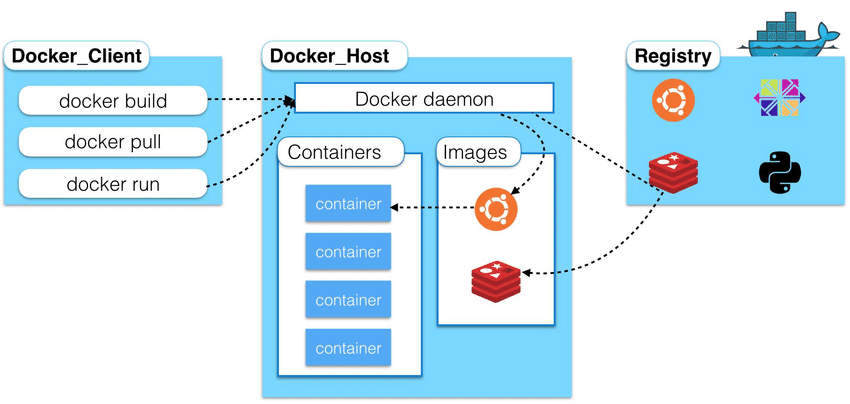
Docker is a tool designed to make it easier to create, deploy, and run applications by using containers. Containers allow a developer to package up an application with all of the parts it needs, such as libraries and other dependencies, and deploy it as one package. By doing so, thanks to the container, the developer can rest assured that the application will run on any other Linux machine regardless of any customized settings that the machine might have that could differ from the machine used for writing and testing the code.
Let's Start
In this blog what we will do is that we will create our own docker image with the help of Dockerfile. Dockerfile is a way to customize the pre-created images or create your own image from scratch.
In this image, we will install python and some machine learning libraries of python so that we can run our pre-made model in it.
Our Dockerfile looks like this.
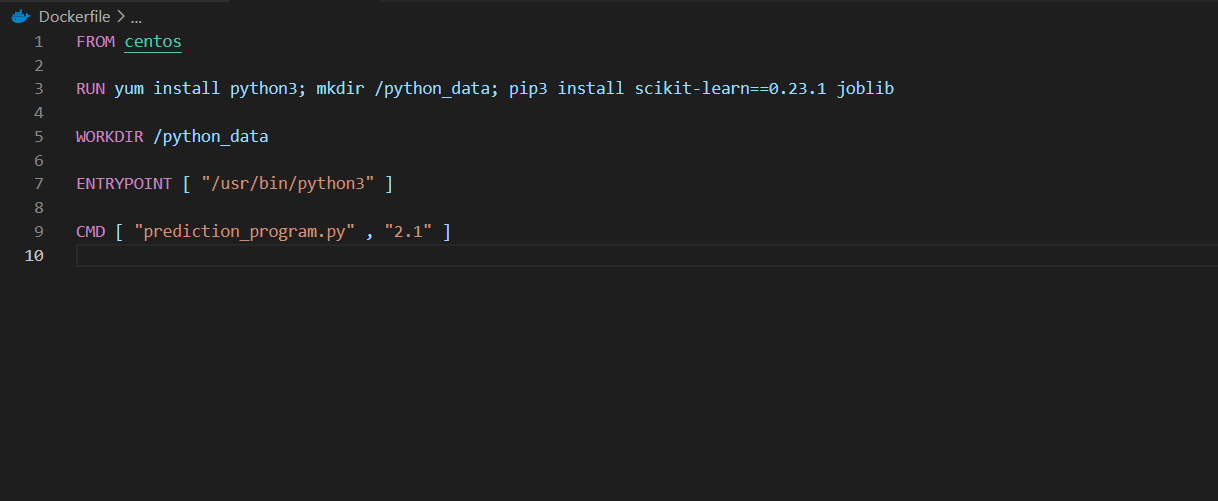
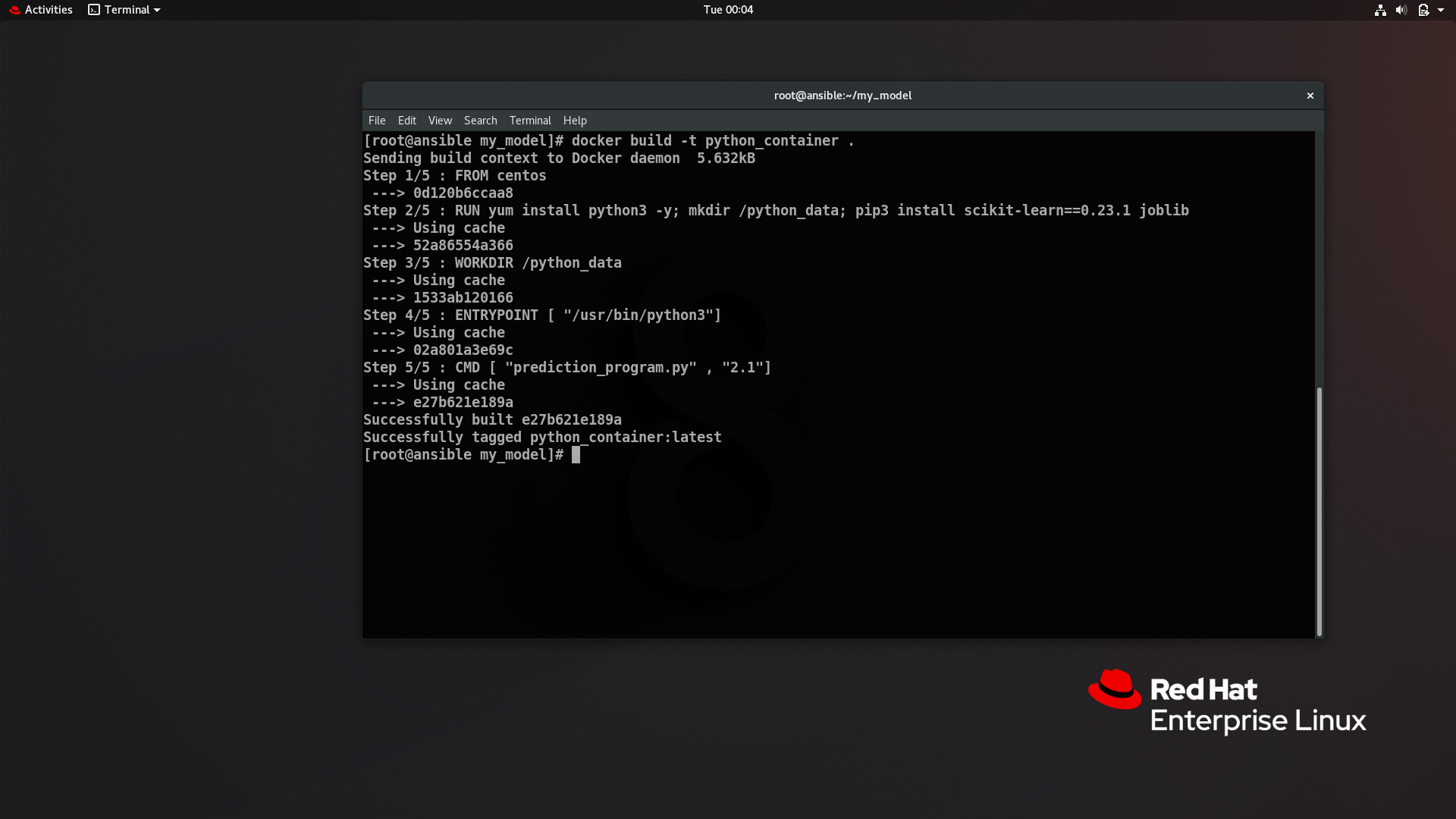
and we can build images using the docker build command.
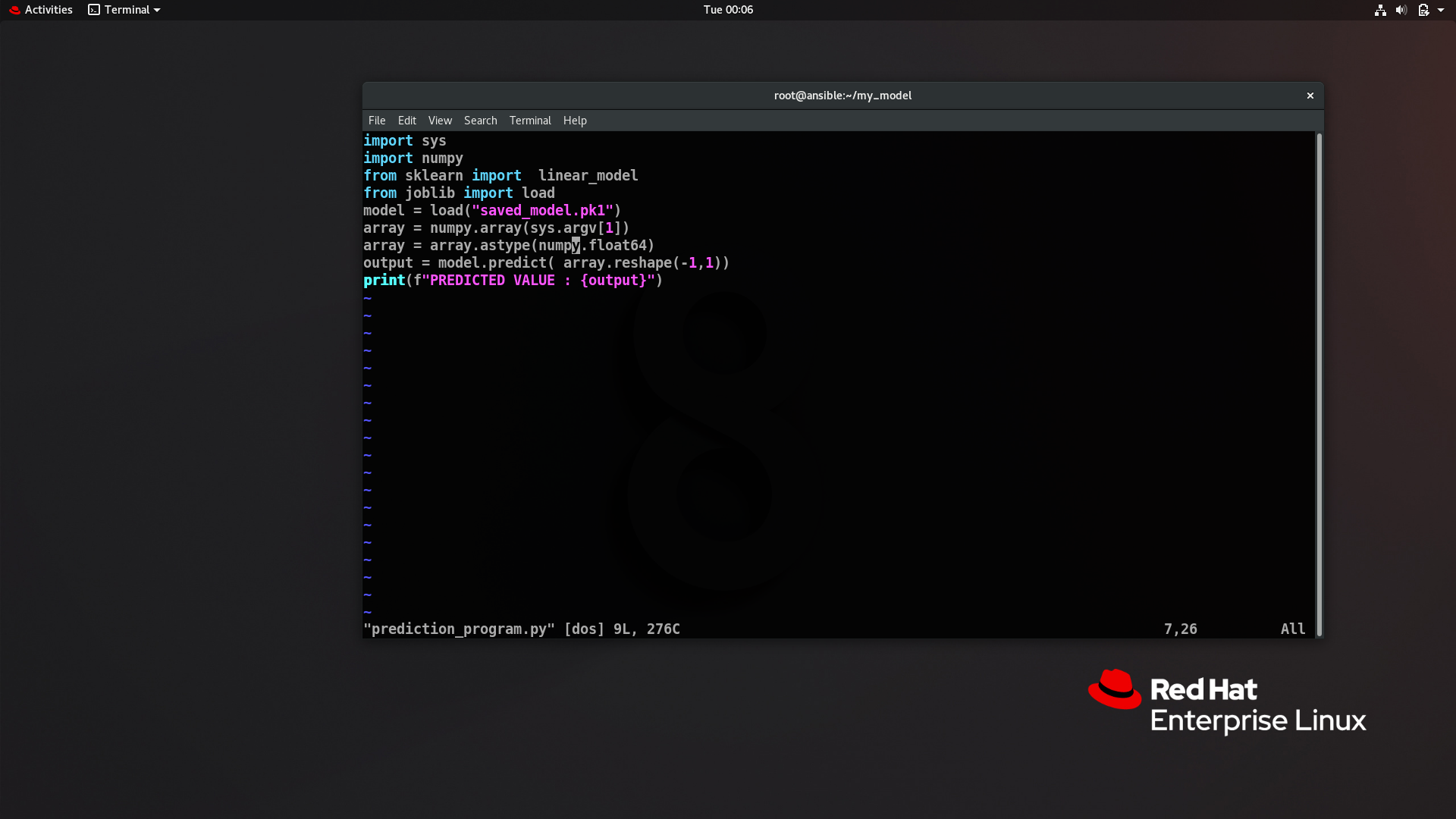
Our prediction program looks like this
Now we can launch our container using docker run command and pass the program name and value we need to predict in a single command like this
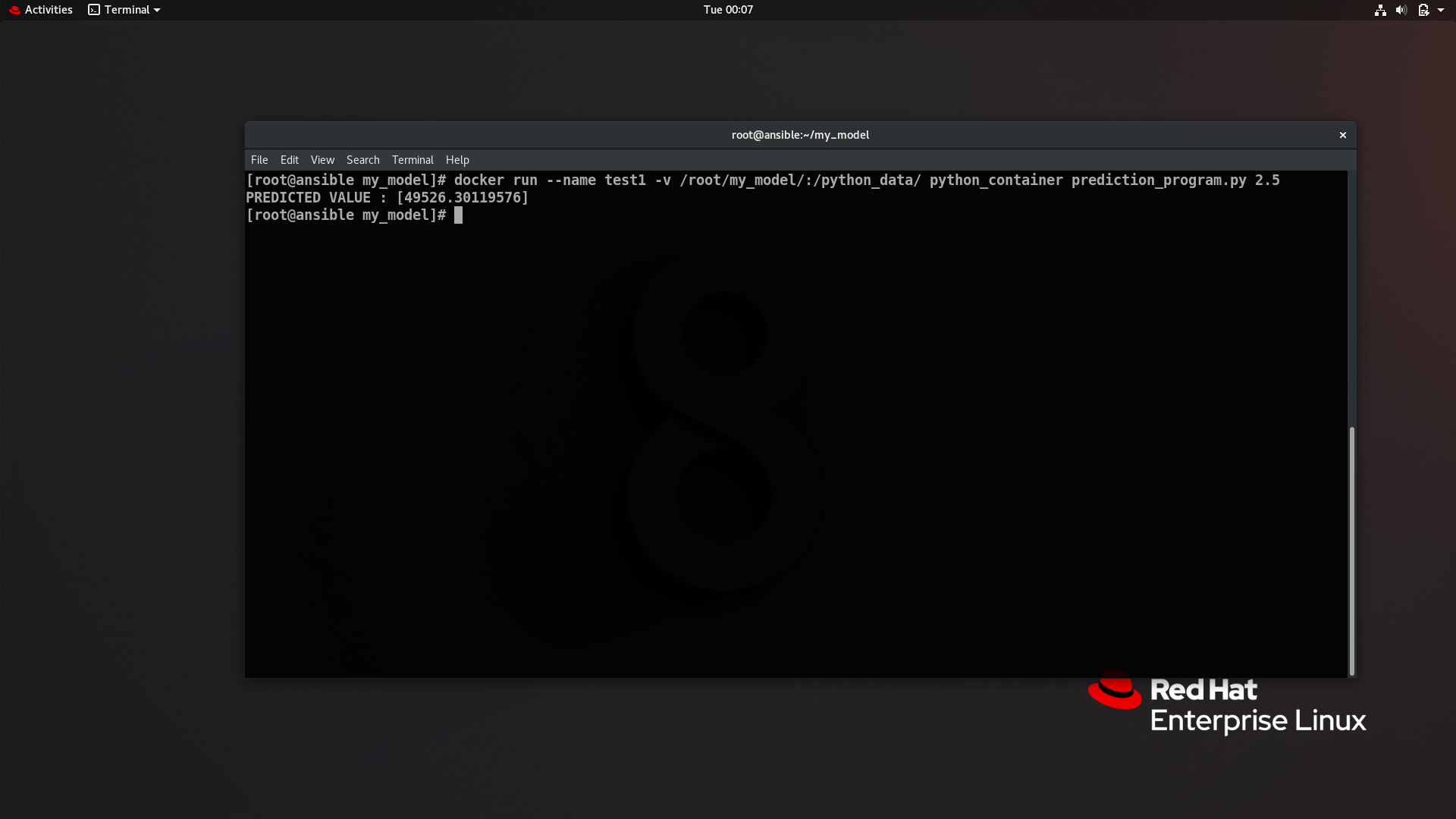
So as you can see we have successfully run the container and program inside it.That's it for this one. See you next time ....!!!


