Creating, Swapping and Combining Images with Python OpenCV

S
I am a learner who likes to get behind the new technologies of the world and integrate them for a more efficient workflow. Currently learning AWS, GitOps, Kubernetes, and much more...
Hi there! Today we are going to do some basic stuff in OpenCV and python. Today we are going to perform three tasks :
- We are going to create our own image
- We are going to swap some part of the two photo
- Combine them side to side.
So let's start
Create your own image
Here is our Jupyter Notebook Code
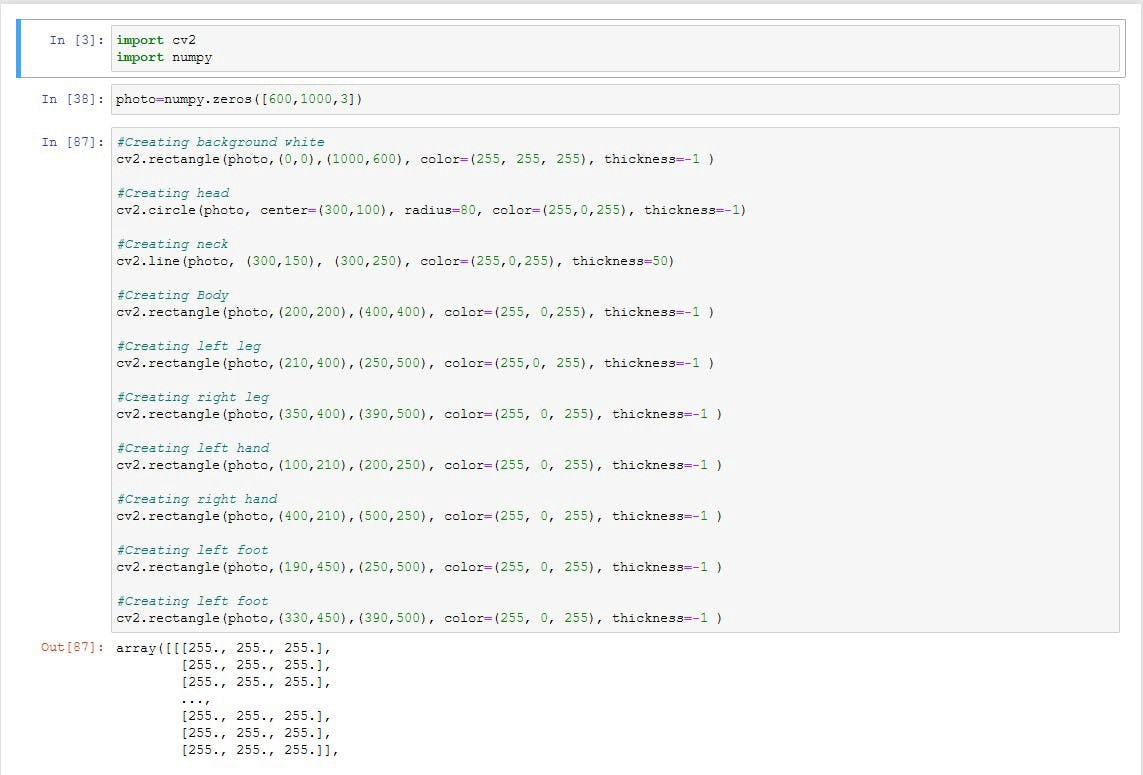
You can watch the complete code here
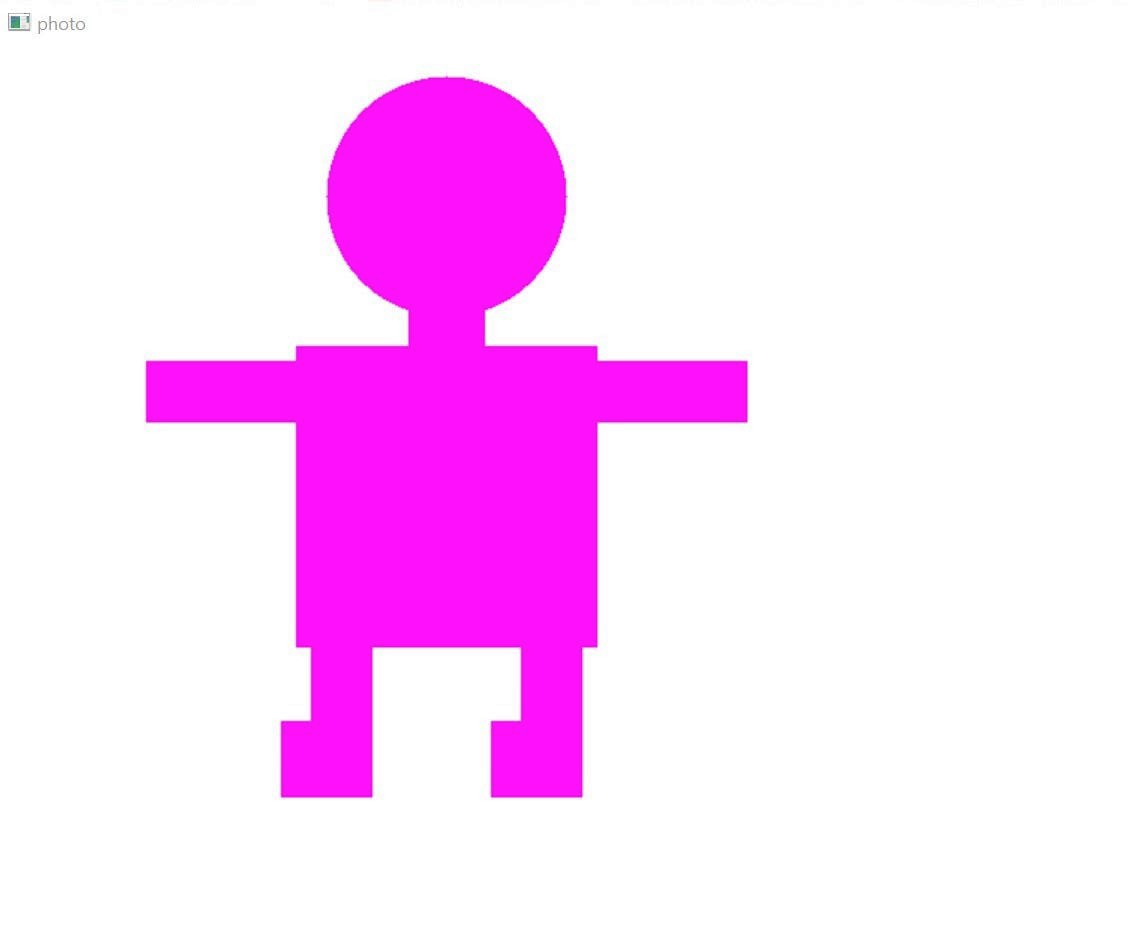
Let's see the output
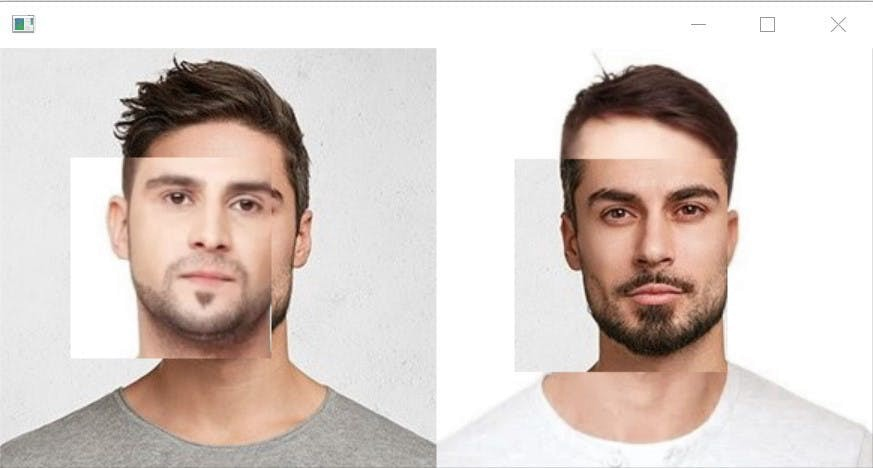
Swap faces and combines them
Here is our Jupyter Notebook Code
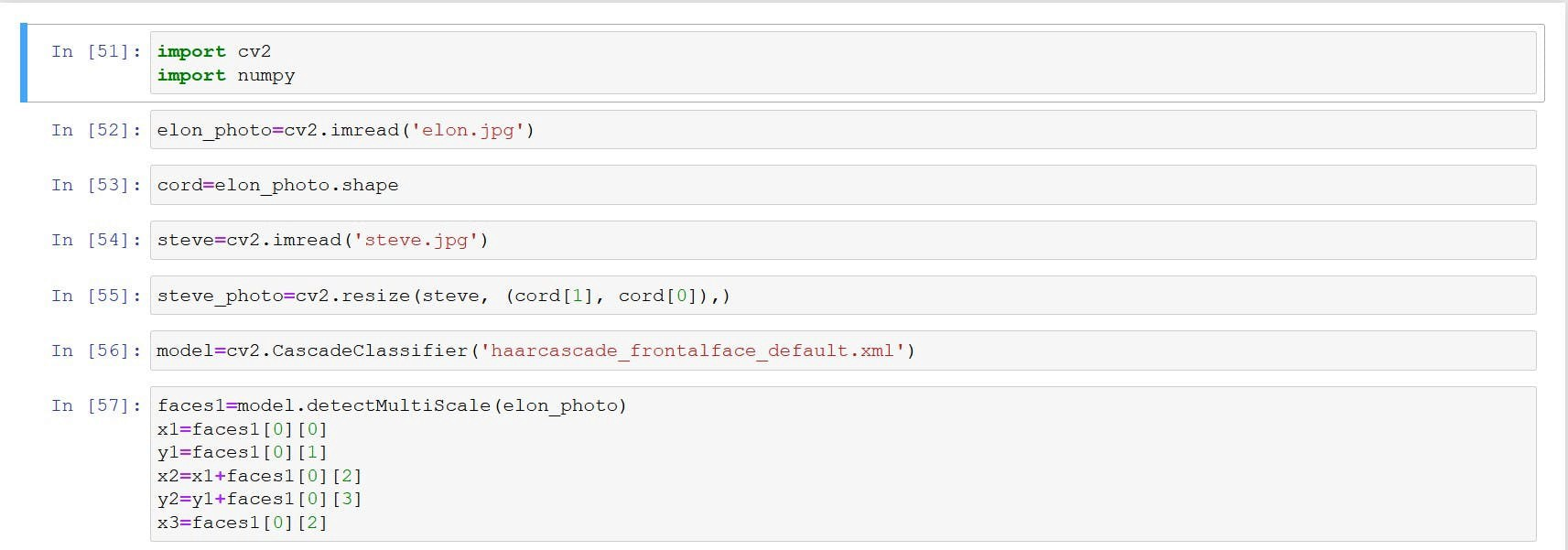
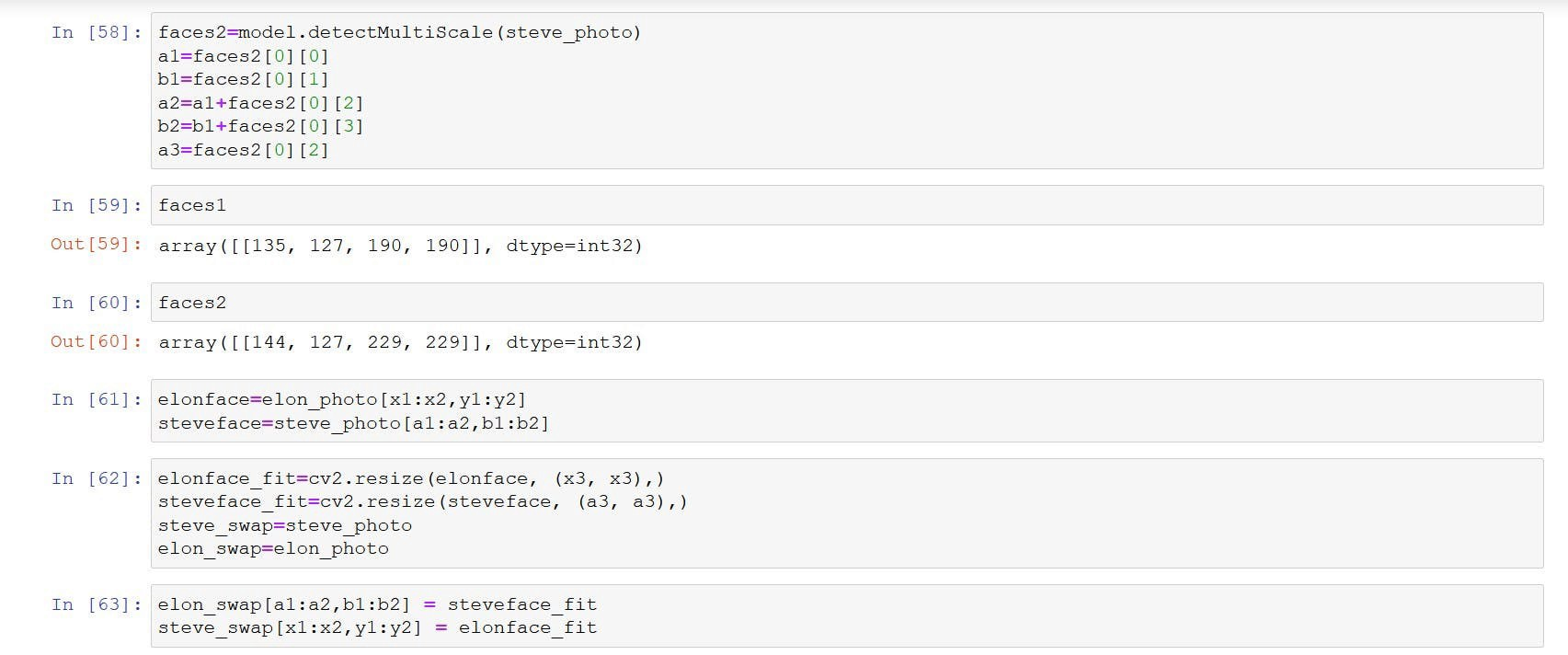
You can check the whole code here
It will take two images as input and detect faces and then swap them and output them in combined form
Here's how it looks like
Thank You!!
11 views


