Facial Recognition System

I am a learner who likes to get behind the new technologies of the world and integrate them for a more efficient workflow. Currently learning AWS, GitOps, Kubernetes, and much more...
Hi there! Today we are going to see how we can make a simple facial recognition program with the help of python. So let's start.
Overview
Our program is going to recognize 2 faces and then it is going to perform certain tasks on the basis of whose face it detects.
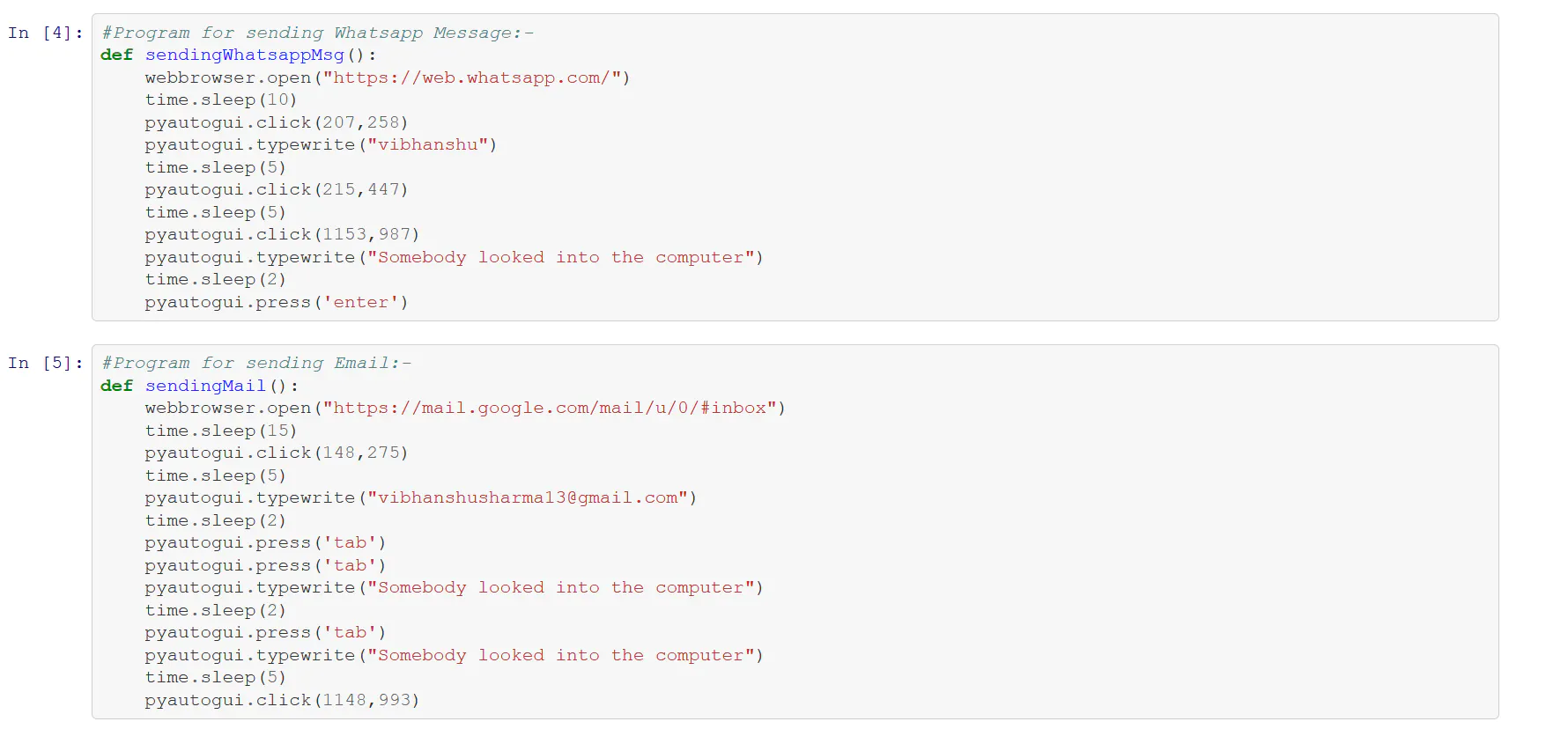
When it detects Vibhanshu's Face it will :
- Send a message to me on WhatsApp.
- Send an email to me.
When it recognizes Sahil's face:-
- Create an ec2 instance with AWS CLI.
- Create 5GB EBS volume and attach it.
Creating the model
We will take the help of some python modules in this task which are given below :
- OpenCV: for image capturing and face detection model
- NumPy: for image processing
and some other common modules for other things like sending mail, messages, etc
Now let's create our model:
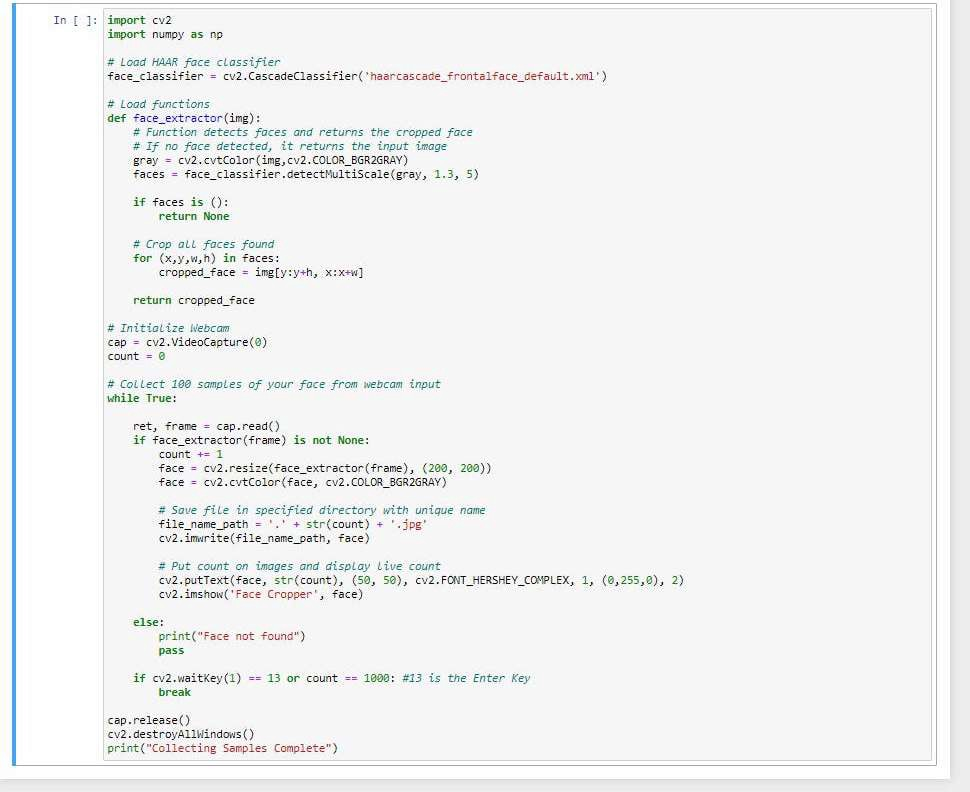
- Step 1: Collect face samples to train the model
Here we have created a function that will detect the face using OpenCV's Haarcascade and when a face is detected it will click the picture and store it in a folder. This way we collected our training data. Here is the snapshot of the code.
Here we have used the Haarcascade model for face detection and made a function that will take collect images using cv2 and basic if-else statements. Here is the snapshot of the code.
- Step 2: Training the model to recognize the faces
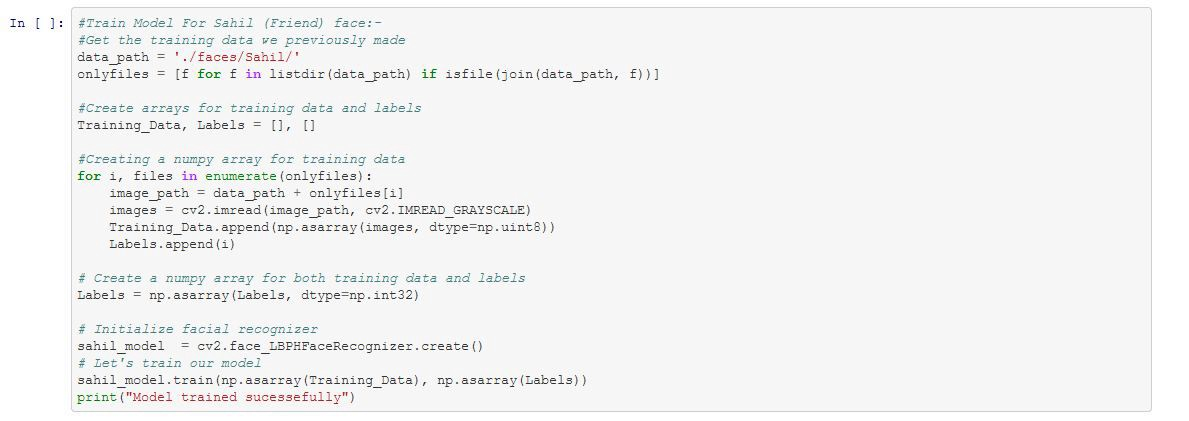
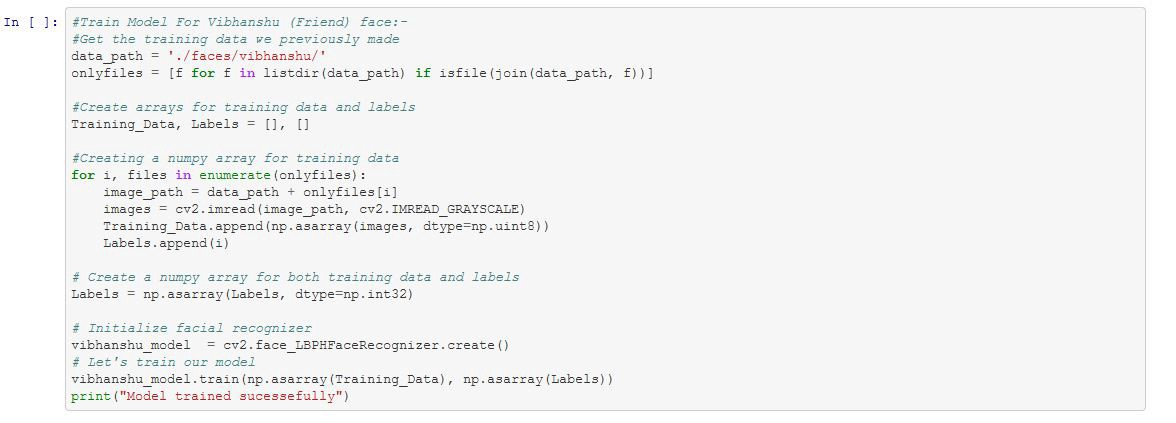
Here we trained two models namely sahilModel and vibhanshuModel.To train the models we used the Local Binary Pattern Histogram (LBPH) algorithm as it can recognize faces under varying lighting conditions and low resolution which is required in our case.
Sahil Model
Vibhanshu Model
- Step 3: Functions to send Mail, Whatsapp message and Launch instance on cloud
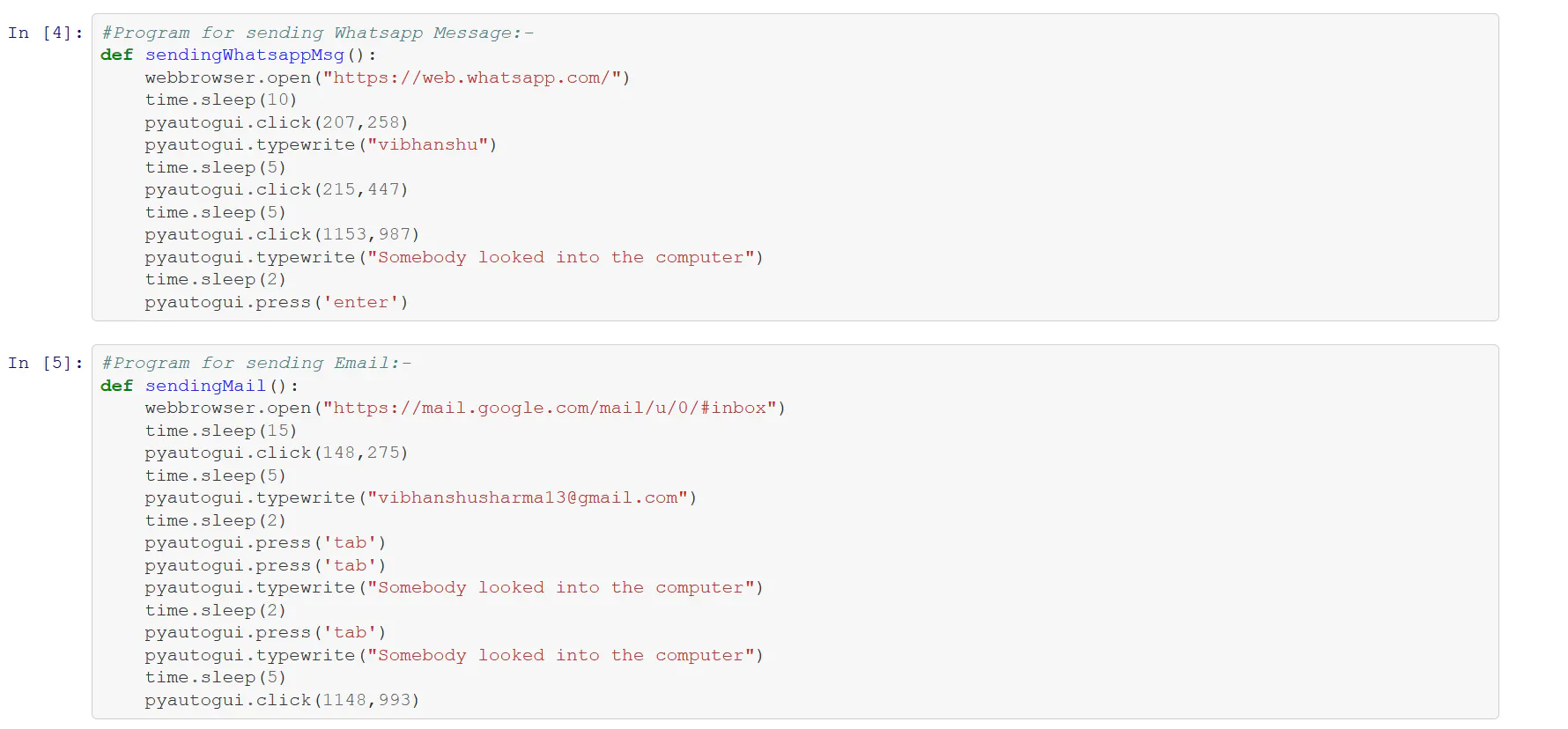

Here's how mappings.json looks like:
[{        "DeviceName": "/dev/sdh",
           "Ebs": {
                   "VolumeSize": 1
             }
}]
Now our model has been created and we can proceed to test the program
Results
To test the code we will use our camera to be live in front of it and it will recognize the faces and perform the task. Here the code for that
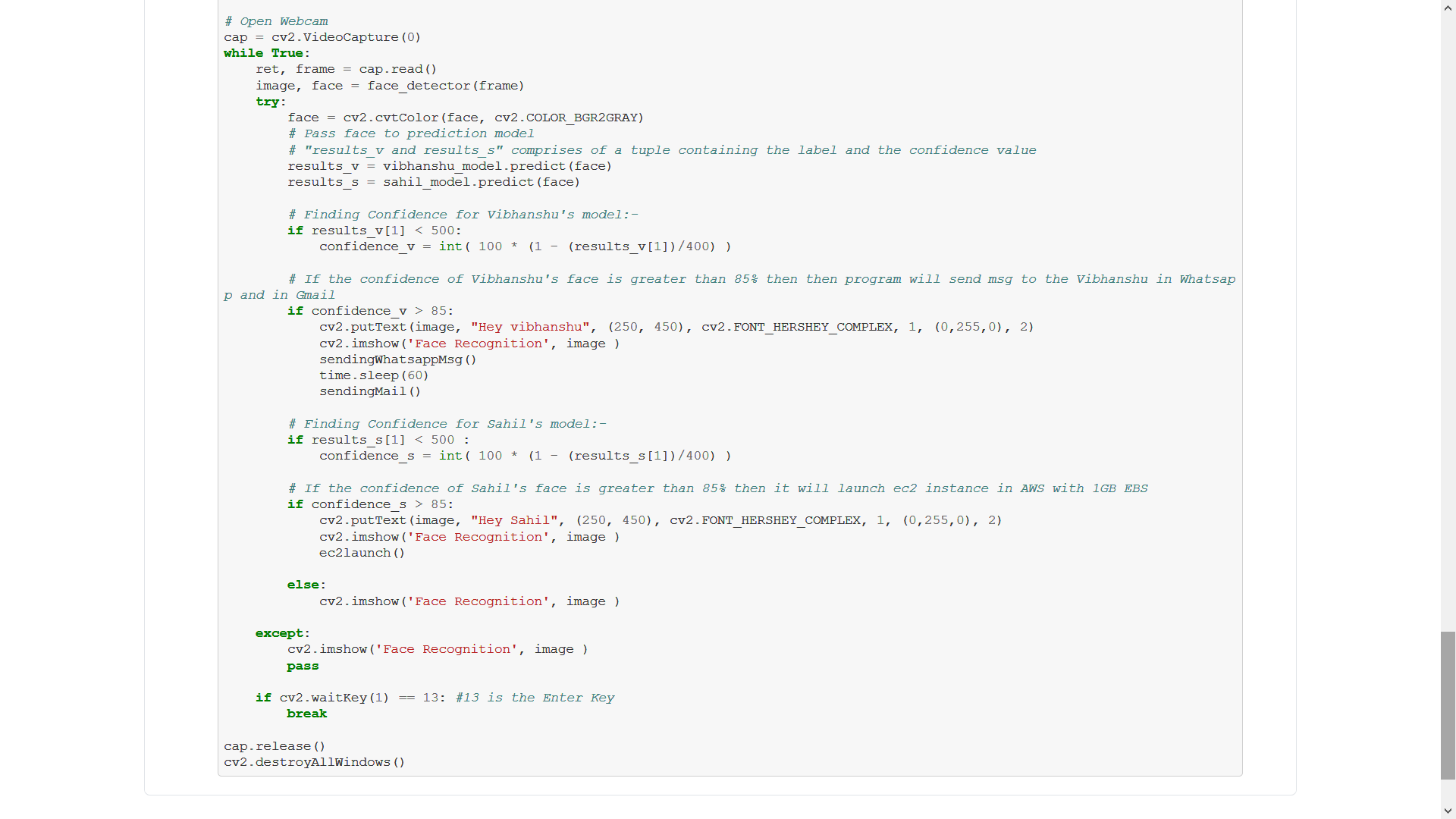
First, we will show Sahil's face
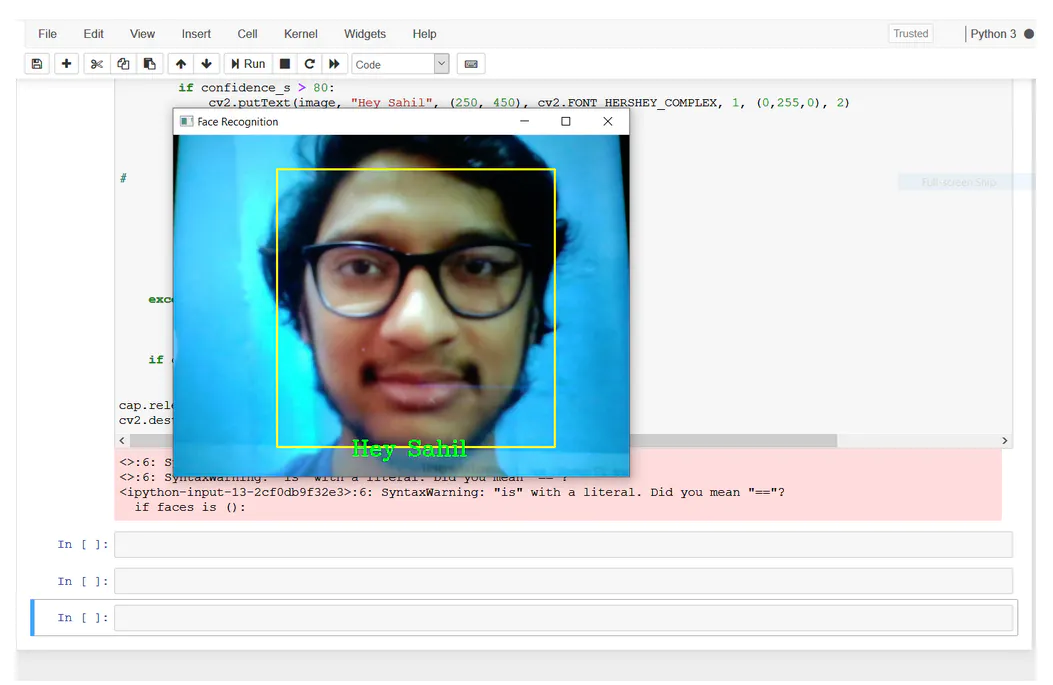
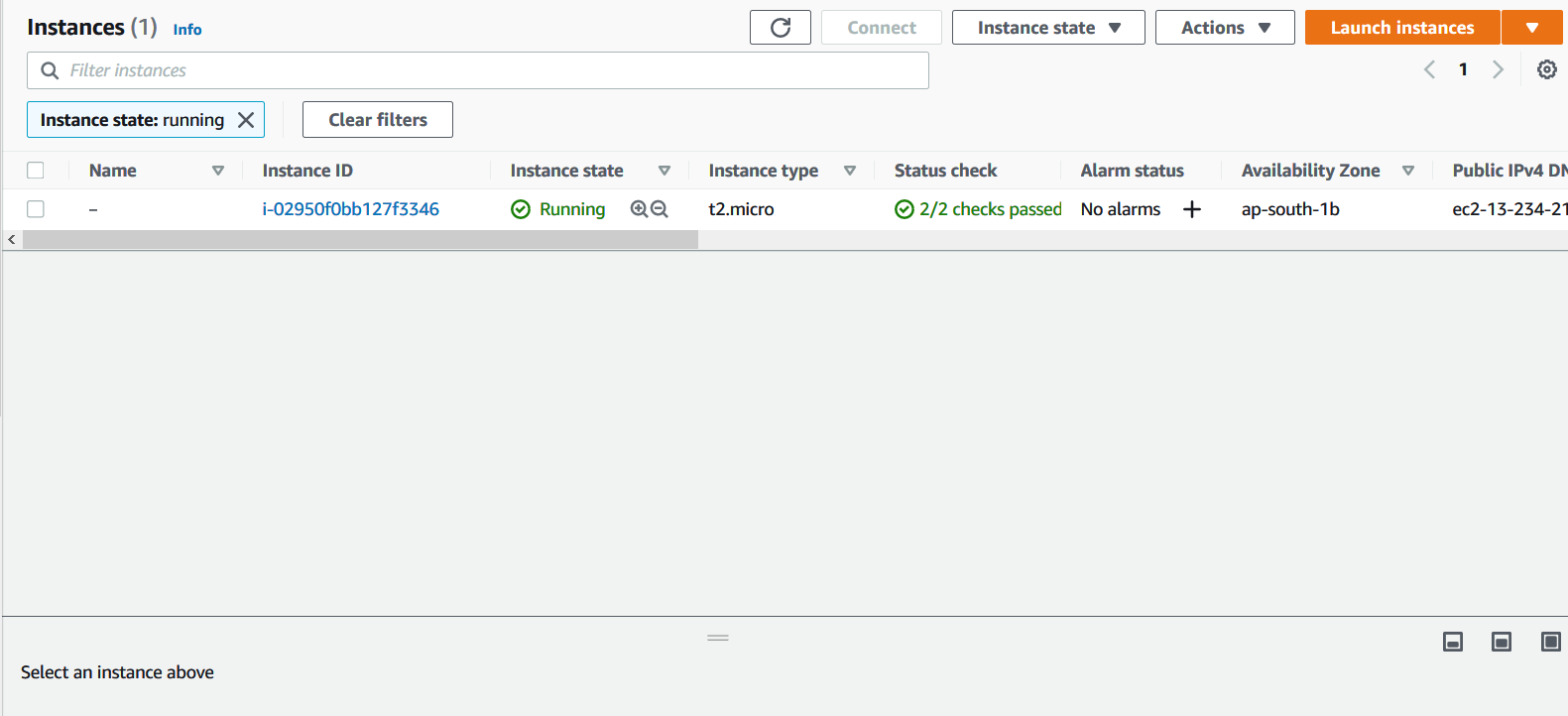
After recognizing my face it will launch an EC2 instance with attached 1GB EBS volume.
Then When we show Vibhanshu's face.
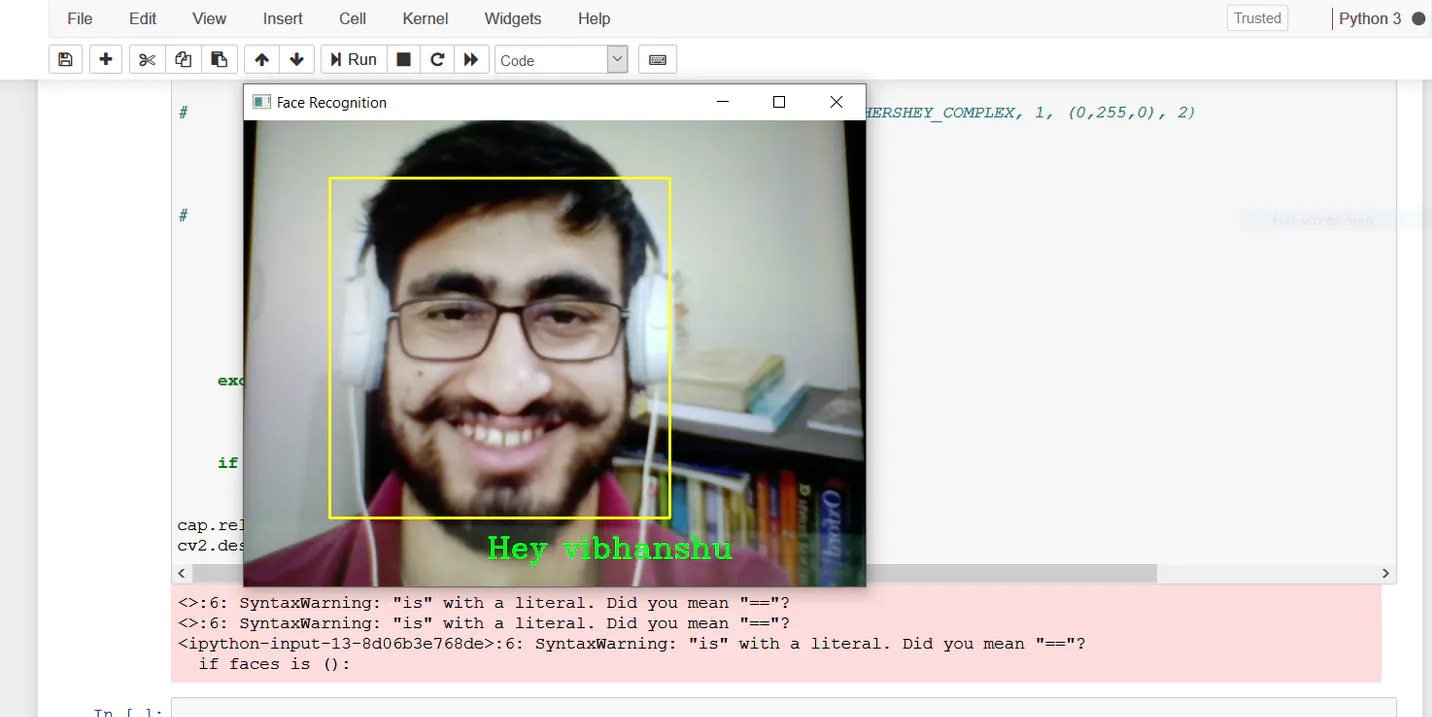
After recognizing Vibhanshu’s face the program will send a Whatsapp message and an Email
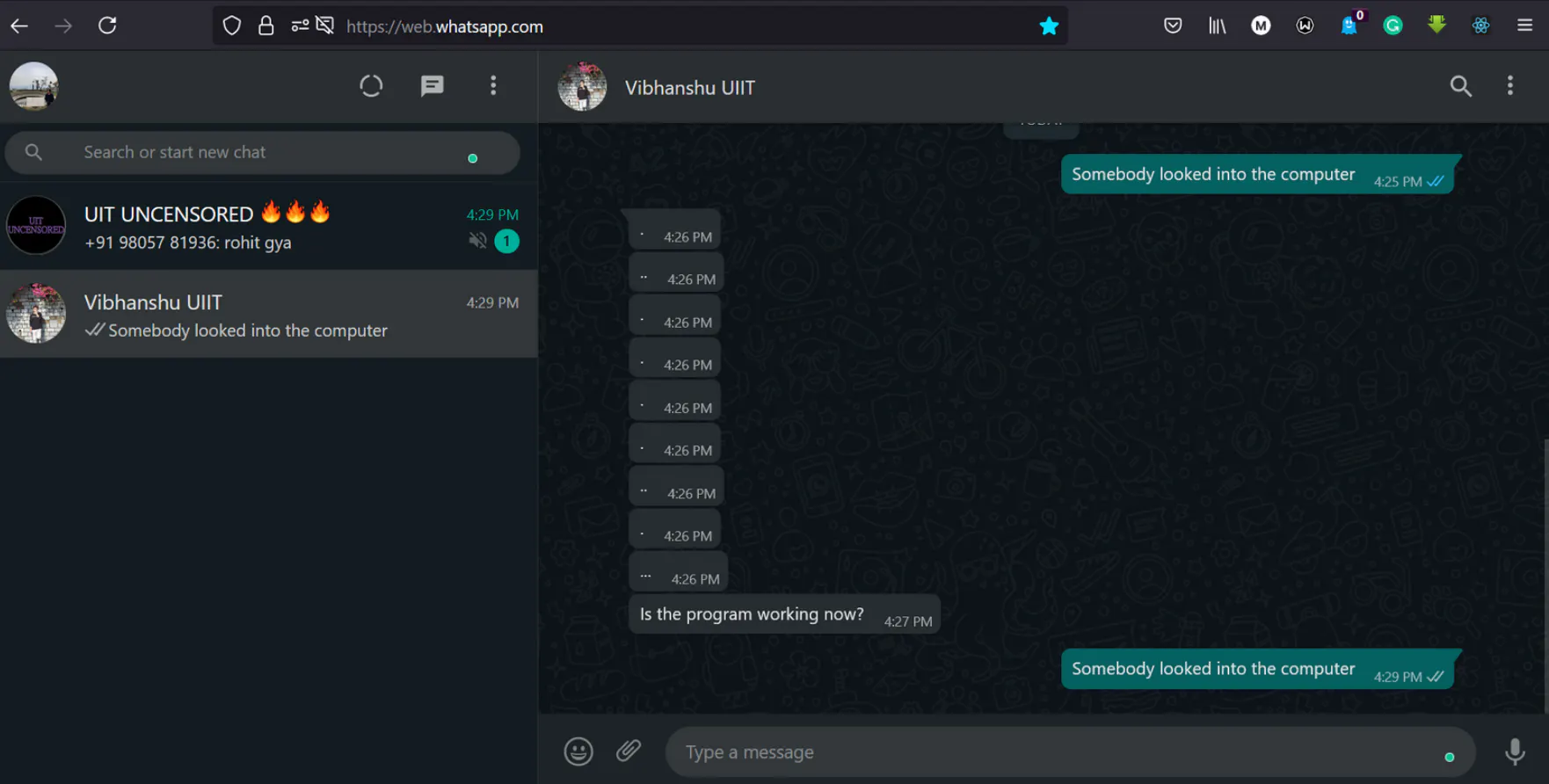
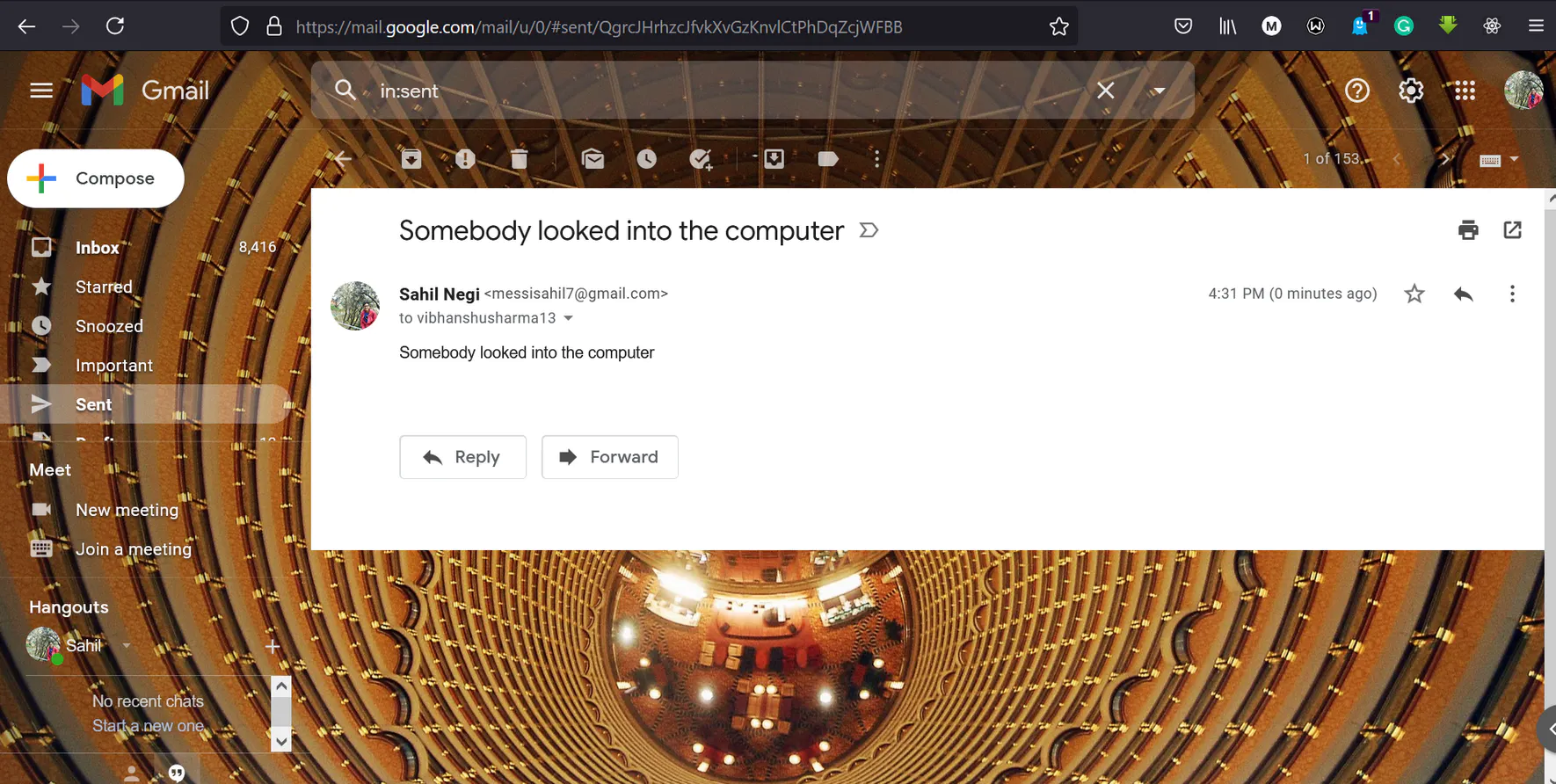
As we can see the model is working fine and with this our this task is completed.
See you next time...!!


